Pestzone — Pest Trap & Watering Control
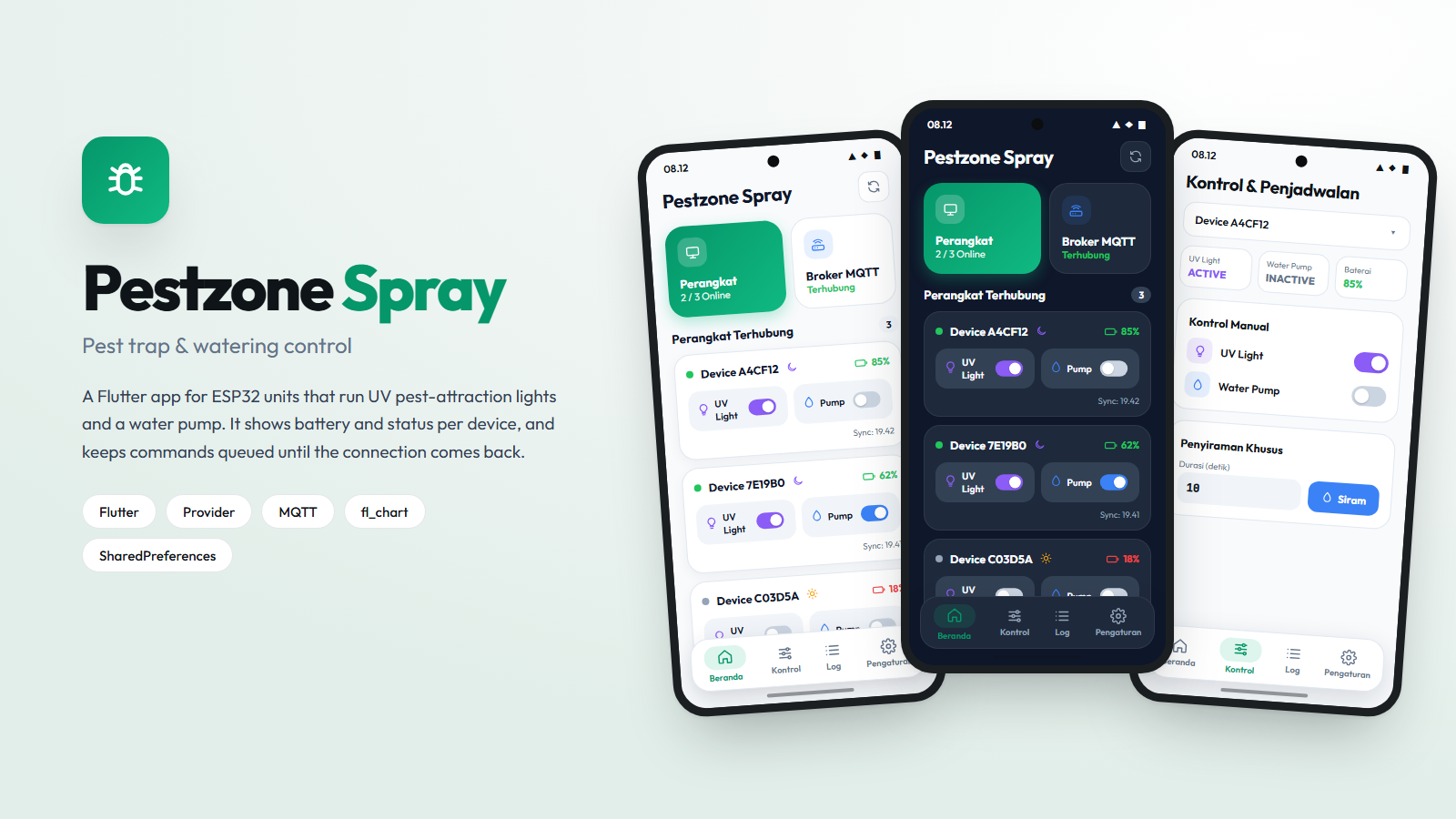
A Flutter app for UV pest traps and automatic watering, built so a command issued with no signal still lands once the connection returns.
- My role
- Sole developer.
- Field
- Mobile Apps, IoT & Embedded
Overview
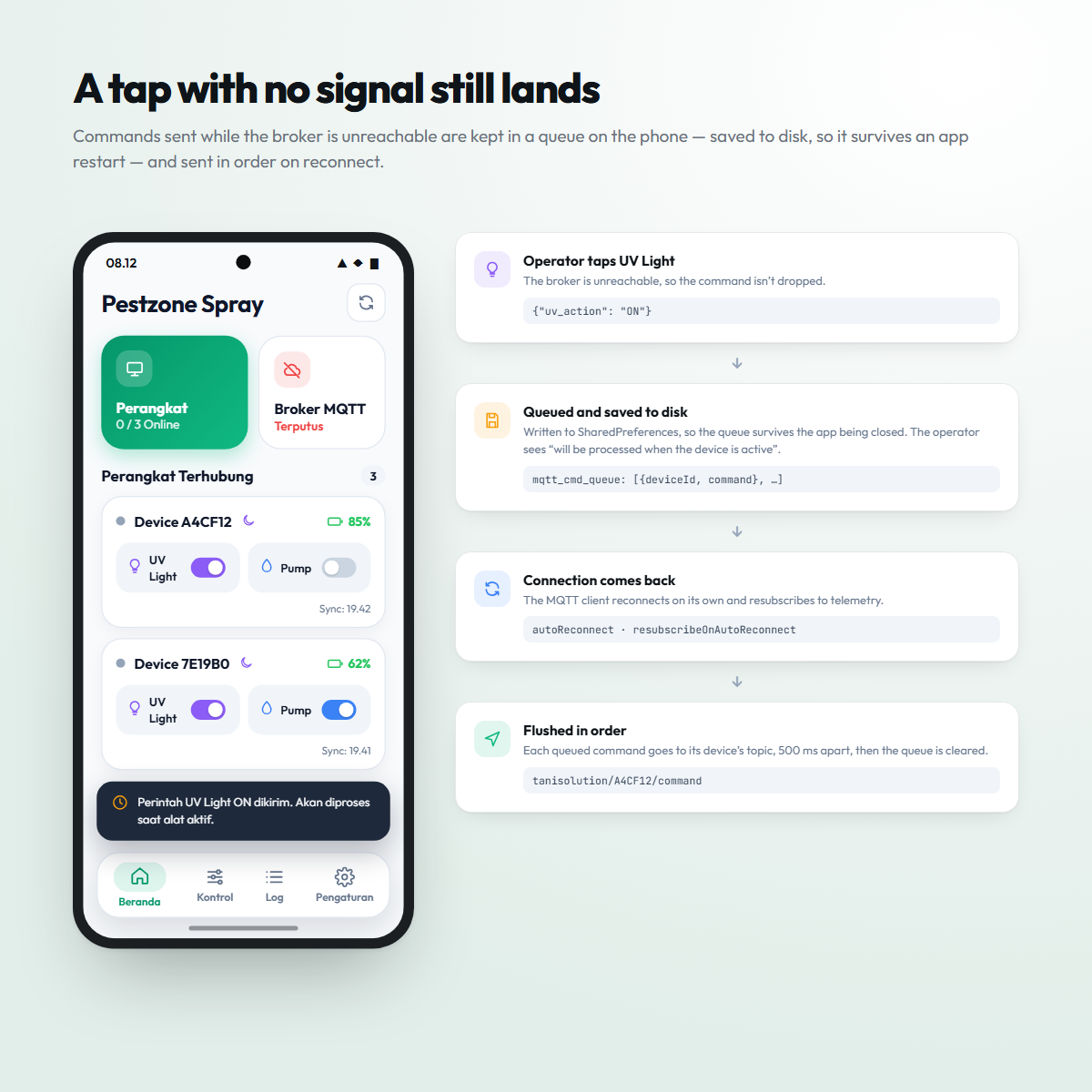
Greenhouses and open plots are exactly the places where mobile signal is worst, which is inconvenient for an app whose entire job is sending commands. Rather than failing the tap, the app queues it: the instruction is saved on the phone — on disk, so it survives the app being closed — and flushed in order the moment the broker is reachable again. The operator presses the button once, not five times.
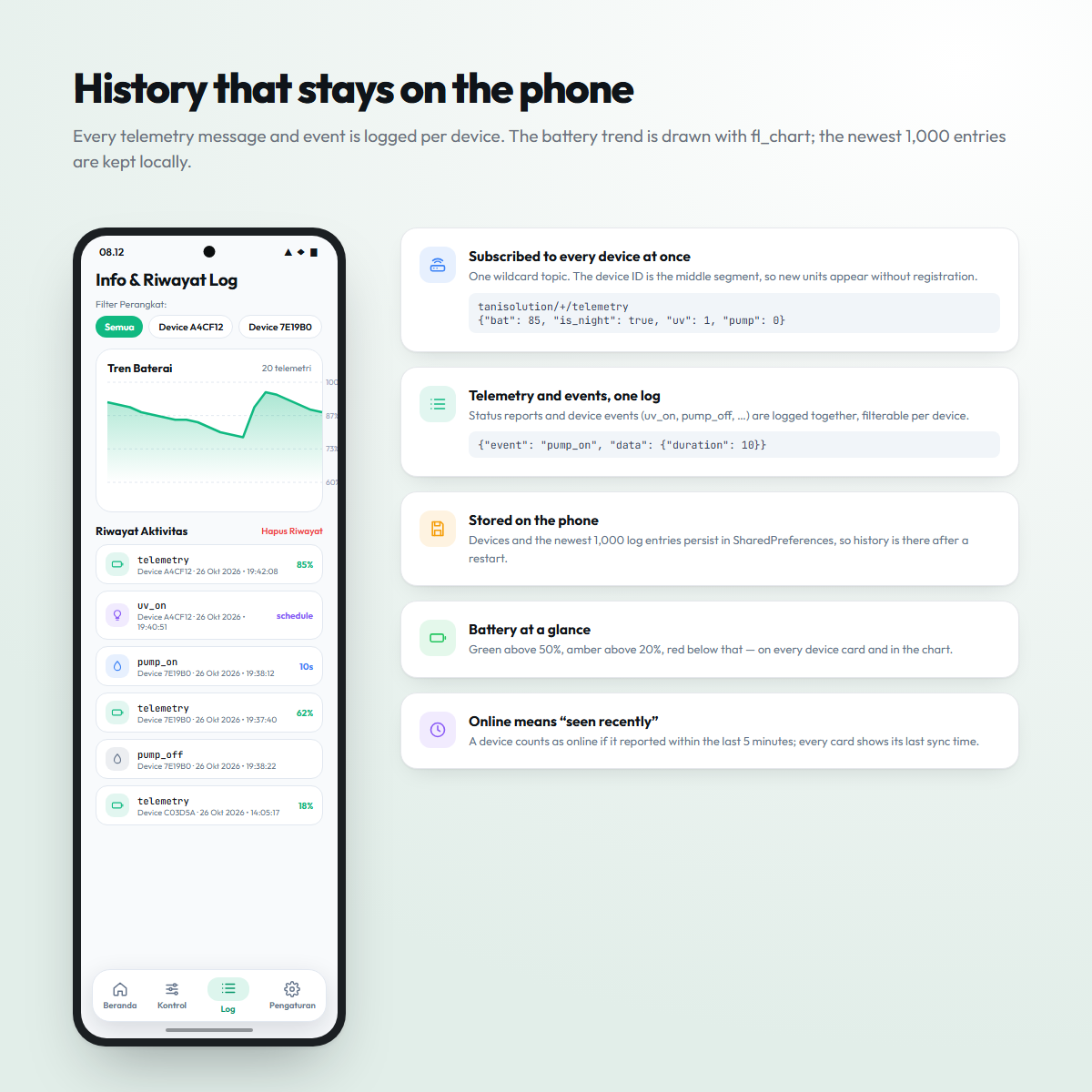
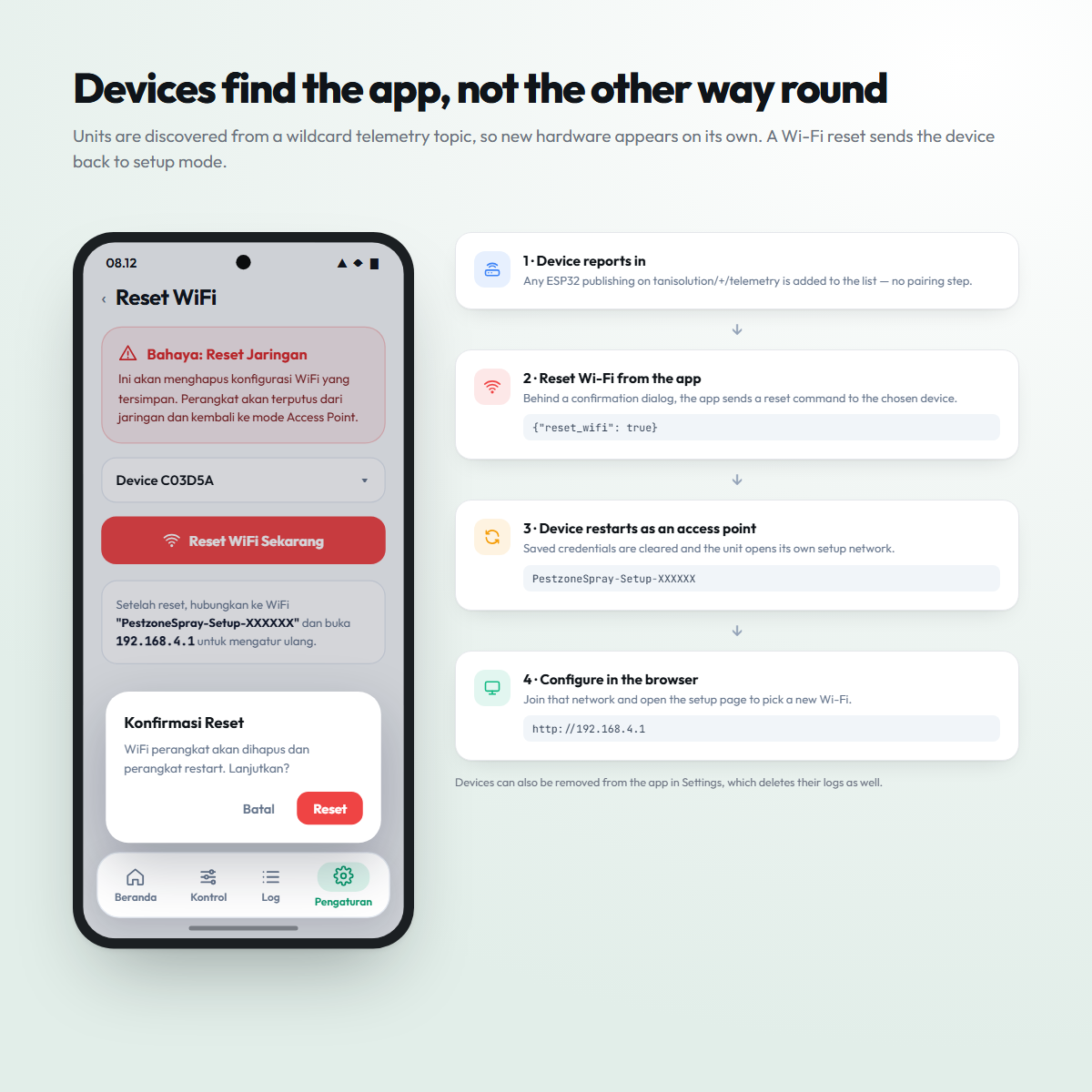
Devices are never registered by hand. The app listens on a wildcard telemetry topic, so any unit that reports in appears with its battery, day/night state and switch positions. When a unit needs a new network, the app sends it a reset; it restarts as its own setup access point, and the Wi-Fi is chosen from a browser at 192.168.4.1.
In pictures
Function
- Control
- UV pest lights and water pump toggled remotely
- Telemetry
- Battery, network and operational health per device
- Resilience
- Commands queued offline and flushed on reconnect
What it does
- 01Real-time battery level, network status and device health.
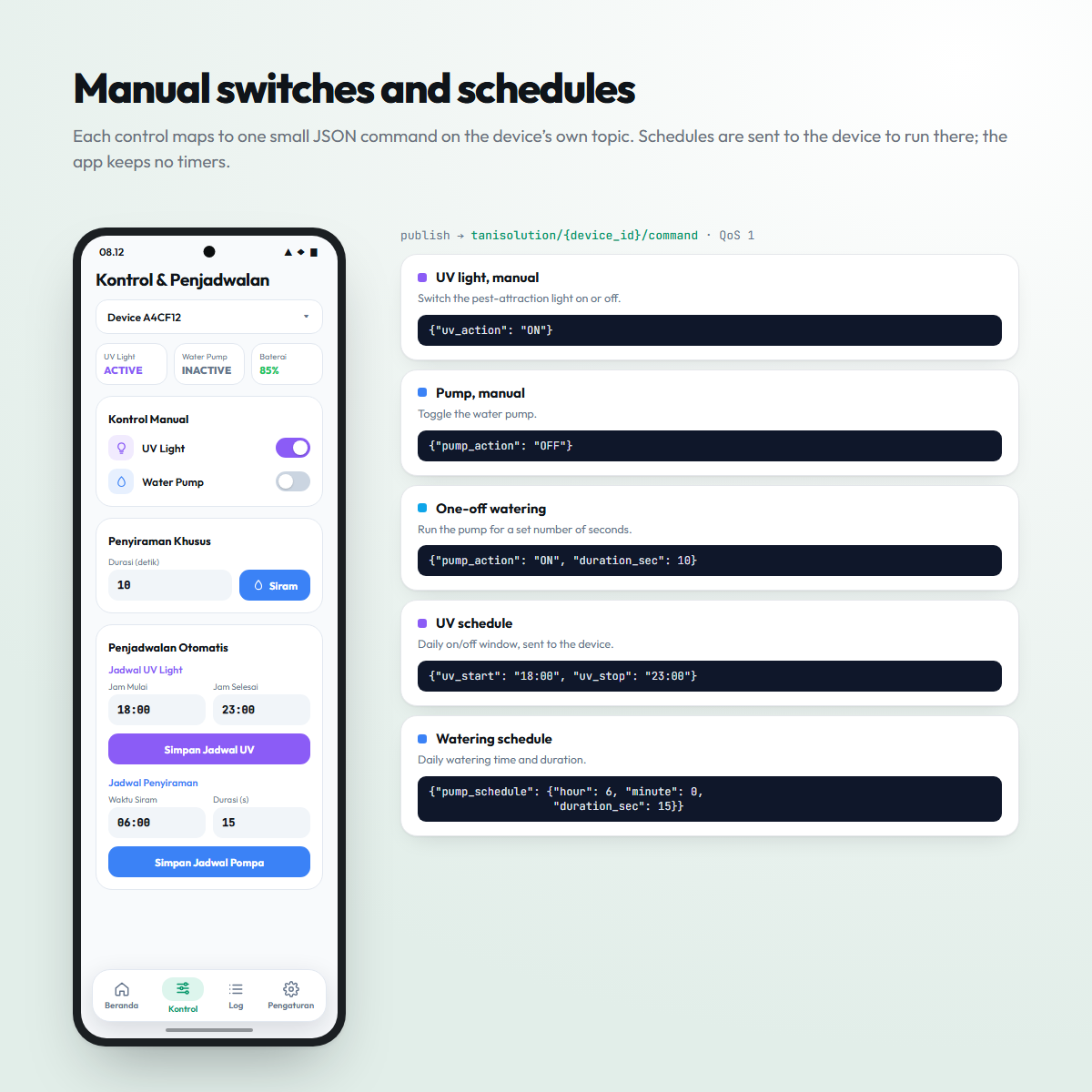
- 02Manual toggles for UV attraction lights and the water pump.
- 03One-off watering by duration, plus daily schedules for the UV light and the pump.
- 04Battery trend chart (fl_chart) and an activity log per device, kept on the phone.
- 05Wi-Fi reset that sends a unit back to its setup access point.
- 06Offline command queue that flushes on reconnect.
- 07Light and dark themes.
Technical notes
- Telemetry topic
- tanisolution/+/telemetry
- Command topic
- tanisolution/{device_id}/command
- Payload
- JSON — e.g. {"bat":85,"is_night":true,"uv":1,"pump":0}