RFID + ESP32-CAM Attendance
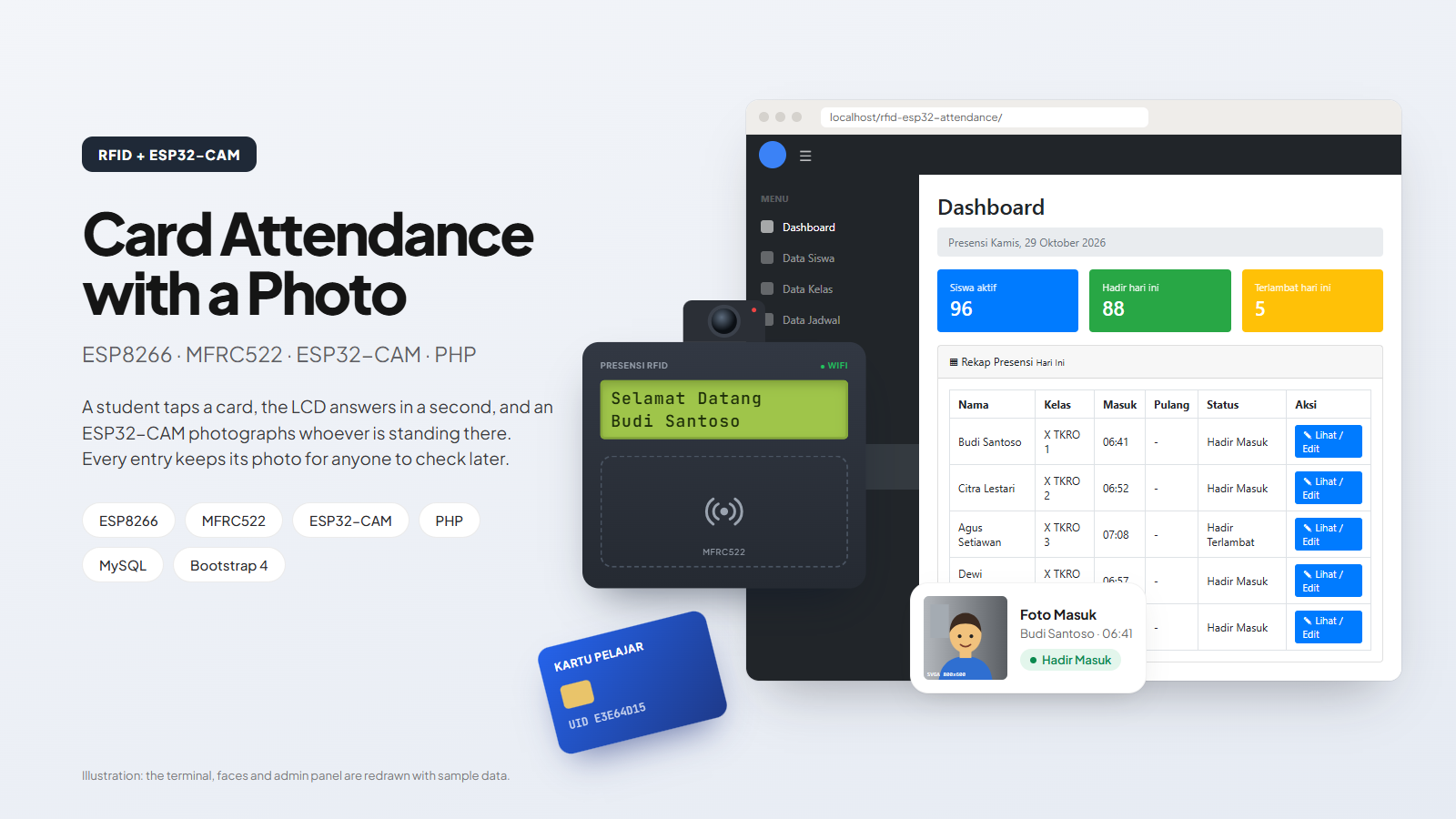
A card proves who you claim to be; the camera records who actually tapped it. Two weak signals combined into one credible record.
- My role
- Sole developer — wiring, both firmwares and the PHP admin panel.
- Field
- IoT & Embedded, Web Development
Overview
An RFID card is a strong claim about which card was present and a very weak claim about who was holding it. Face recognition is the reverse — good at identifying a person, expensive and brittle as a gate. Pairing them sidesteps both: the card does the identifying, and a camera simply records who was standing there, leaving a photo on every entry that anyone can check later. The photo is deliberately not run through a recognition model; knowing it is taken is enough to make lending a card unattractive, and it keeps the terminal cheap.
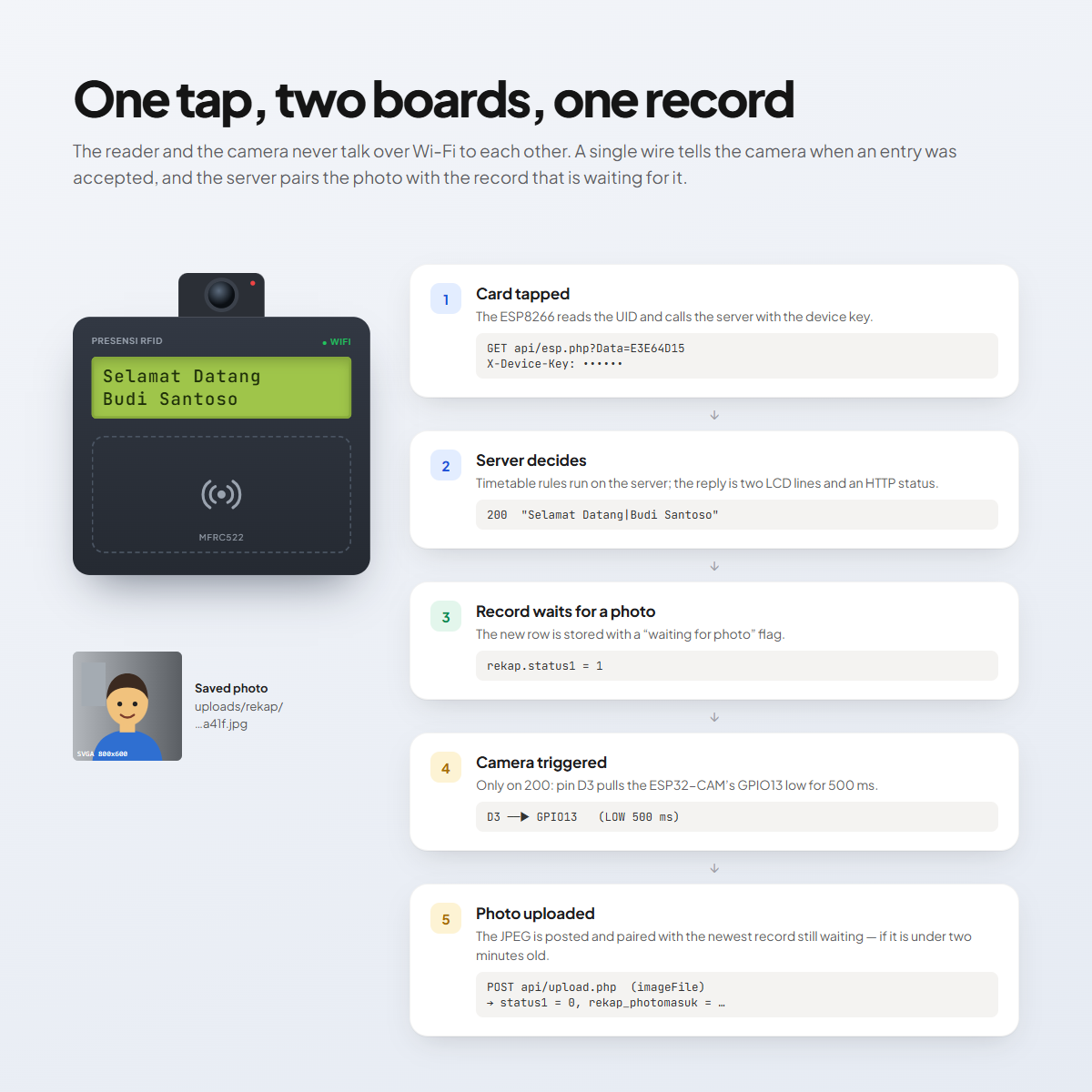
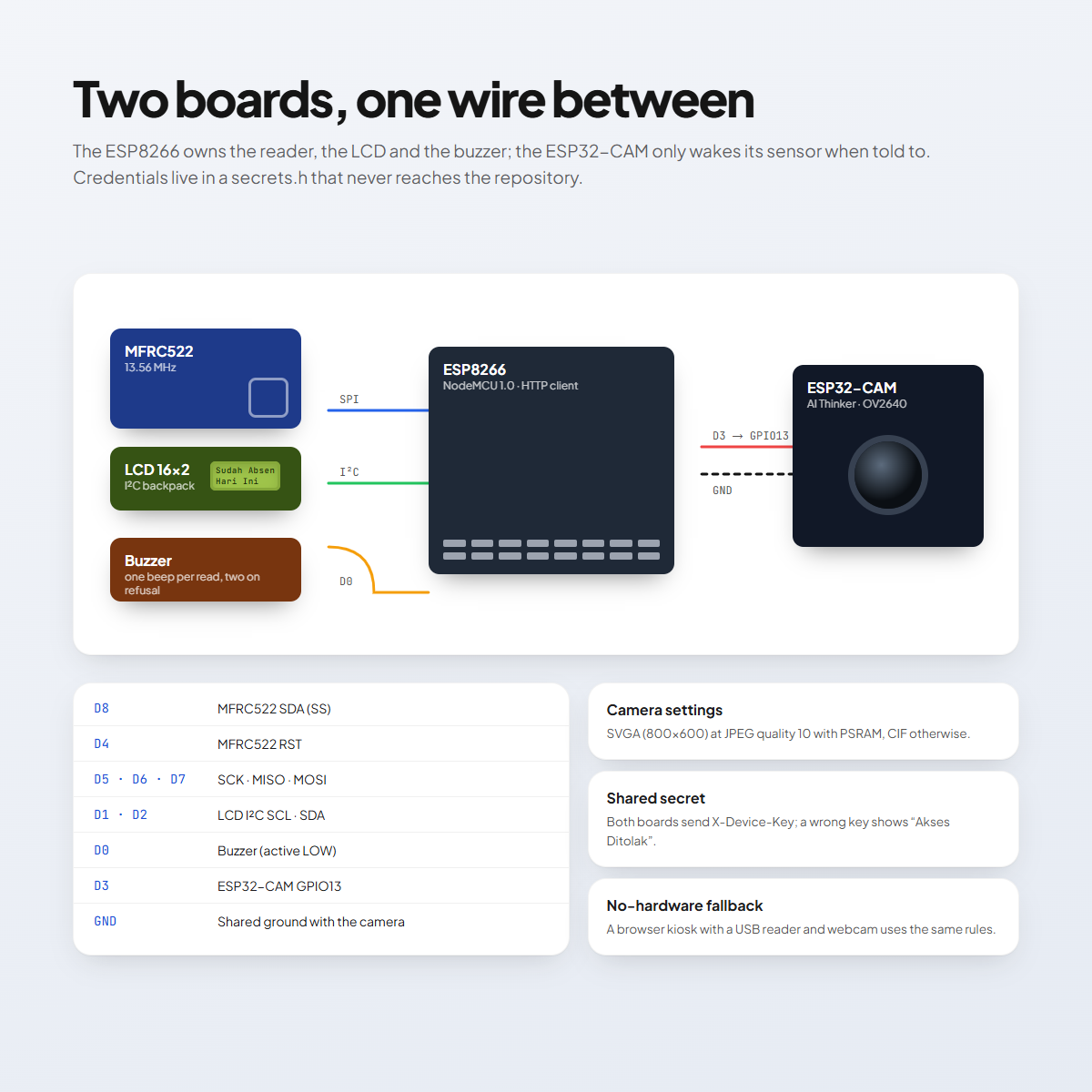
The terminal is two boards. An ESP8266 owns the MFRC522 reader, the LCD and the buzzer; it sends the card’s UID to the server with a device key and prints whatever two lines come back. Only when the server answers 200 does it pull one pin low for half a second — a wire to the ESP32-CAM, which takes a picture and uploads it. The server stores the attendance with a “waiting for photo” flag and pairs the upload with the newest record still waiting, as long as it is less than two minutes old.
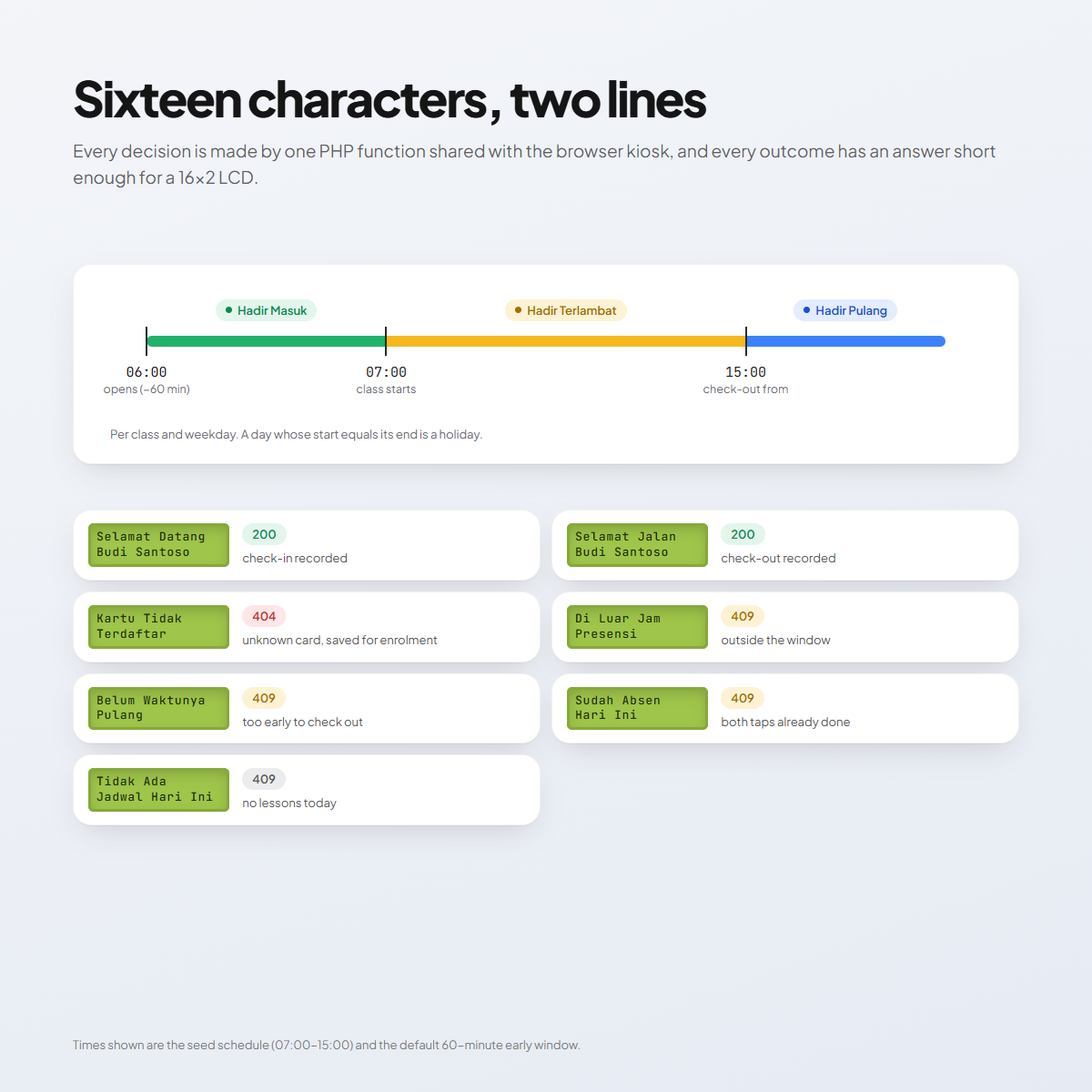
The rules live in one PHP function shared by the device endpoint and a browser kiosk that uses a USB reader and a webcam instead. Check-in opens an hour before class, counts as late after the start time, and check-out opens at the end of the day; a weekday whose start equals its end is a holiday. Every outcome — unknown card, outside hours, too early, already done — has a short answer that fits a 16×2 LCD and an HTTP status the firmware can act on.
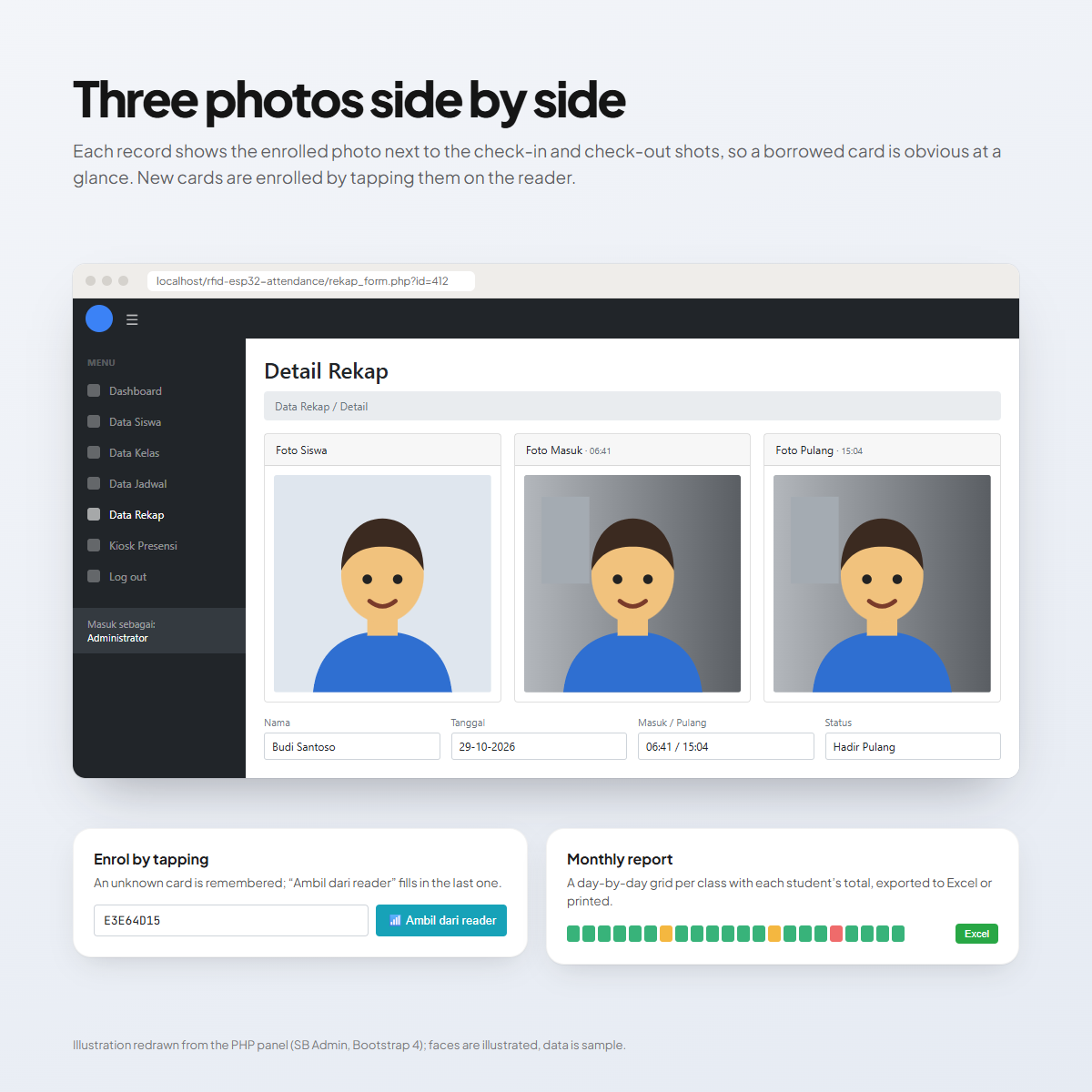
The admin panel manages students, classes, weekly timetables and records, and shows the enrolled photo beside the check-in and check-out shots. New cards are enrolled by tapping them: the server remembers unknown UIDs, and the student form has a button that fills in the last one. Monthly reports per class export to Excel or print.
In pictures
Function
- Identity
- MFRC522 reader and 16×2 LCD on an ESP8266 terminal
- Evidence
- ESP32-CAM photographs every accepted tap
- Rules
- One PHP function checks the timetable for the device and the browser kiosk
What it does
- 01RFID tap on an ESP8266 + MFRC522 terminal with a 16×2 LCD and a buzzer.
- 02ESP32-CAM photo for every accepted tap, paired to the record on the server.
- 03Timetable validation: early window, late after the start time, check-out from the end time, holidays.
- 04Browser kiosk with a USB reader and webcam as a no-hardware fallback, using the same rules.
- 05Student, class, weekly timetable and record management, with manual status correction.
- 06Record detail with the enrolled photo beside the check-in and check-out photos.
- 07Card enrolment by tapping: unknown UIDs are remembered and filled in with one click.
- 08Monthly report per class, exported to Excel or printed.
- 09Device endpoints guarded by a shared X-Device-Key; admin forms protected with CSRF tokens.
Technical notes
- Device API
- GET api/esp.php?Data=<UID> → "line 1|line 2"; 200 recorded, 404 unknown card, 409 refused
- Photo
- POST api/upload.php (imageFile); paired within 120 seconds
- Trigger
- ESP8266 D3 → ESP32-CAM GPIO13, LOW for 500 ms, shared ground